

Vehicle Protection Checklist for Turo Hosts
Vehicle Protection · Host Guide
Protect the Vehicle. Control the Process.
A strong Turo hosting process combines compliant tracking, controlled vehicle access, complete trip records and a clear response plan. A GPS-enabled immobilizer can add another layer, but it does not replace maintenance, Turo procedures, insurance, an earnings plan or law enforcement.
- 01Platform and legal compliance
- 02Reliable tracking and account access
- 03Controlled keys and digital access
- 04Complete trip documentation
- 05Defined late-return response
Before the Next Trip
The Short Checklist
Confirm each item before the vehicle is released. A working process is more useful than relying on one device after a problem begins.
- Review Turo’s current tracking policy and the law that applies where the vehicle is shared.
- Verify that the tracker is powered, connected and reporting current information.
- Confirm that the subscription and owner account are active and secure.
- Secure every physical key, access code and digital credential.
- Complete clear pre-trip photos and guest-license confirmation through Turo.
- Keep a written plan for a late, missing or stolen vehicle.
- Test the system only with the vehicle stationary and its engine off.
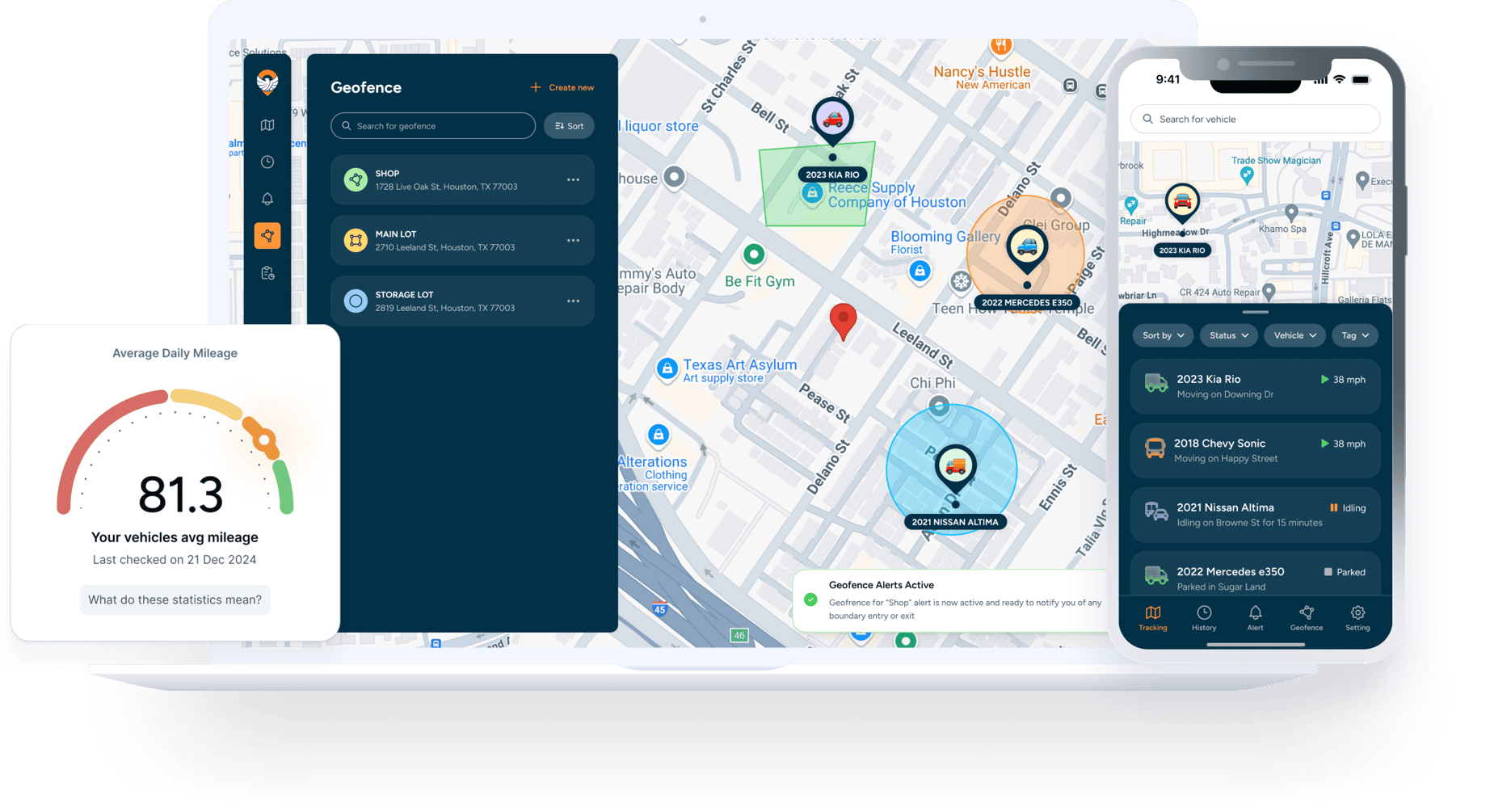
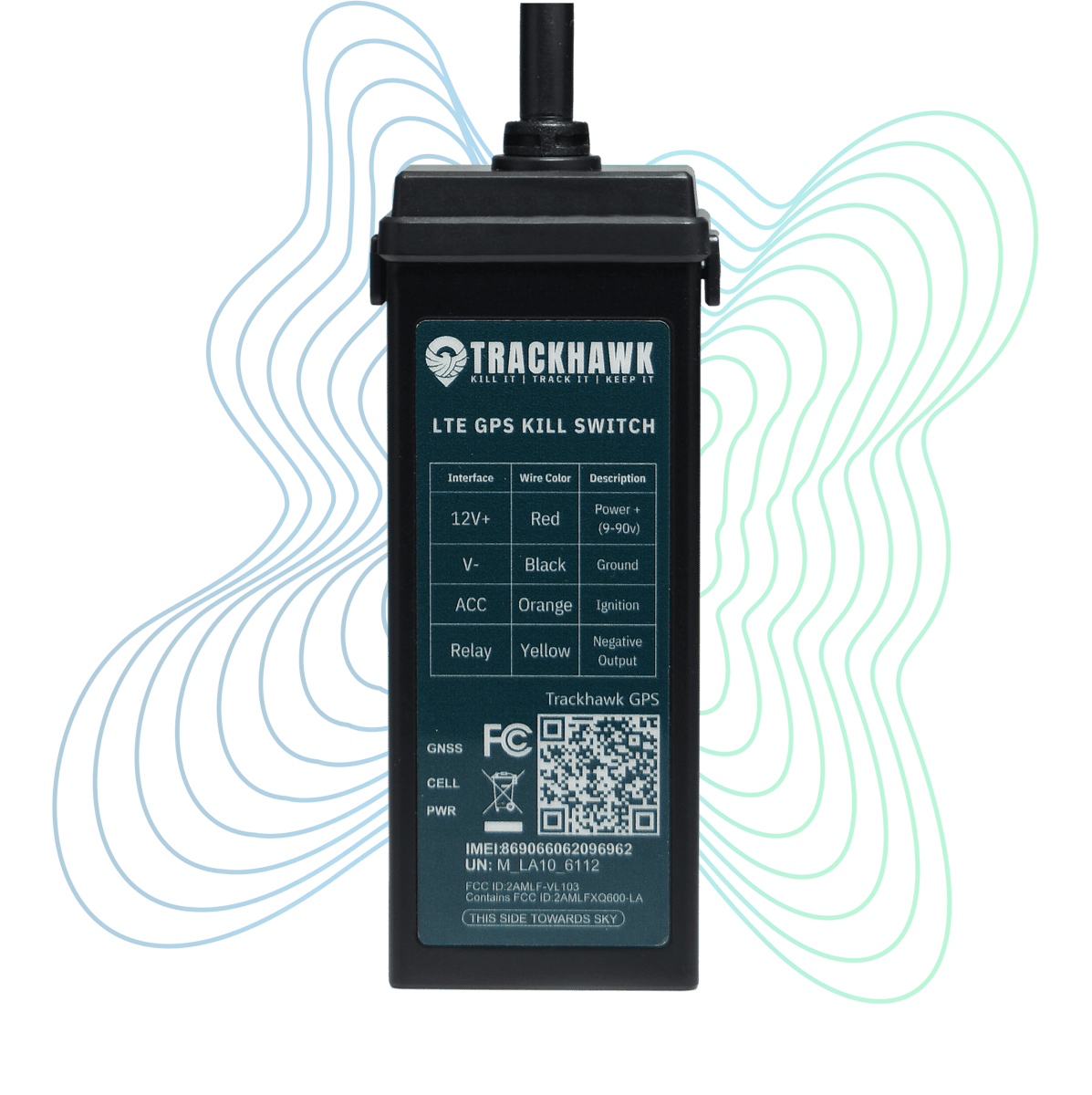
Trackhawk hardware and platform shown for product identification. Trackhawk GPS is a third-party product and platform; Corsa Nero independently provides installation services.
Review Turo’s Tracking Rules
Turo currently permits hosts to use GPS, aftermarket tracking technology, OEM tracking systems and telematics to help protect their vehicles. Turo does not permit AirTags as active vehicle trackers. Its policy also requires explicit written consent through Turo messaging before a host activates a camera that records the cabin or a device that records audio during a trip. Review the current Turo tracking and technology policy before relying on any device.
For high-value vehicles, one separate rule matters: Turo currently requires U.S. vehicles with a fair market value of $125,000 or more to maintain an activated OEM tracker. An aftermarket system can add another layer, but it should not be presented as a substitute for that specific OEM requirement.
Michigan law generally prohibits installing or using a vehicle tracker without the knowledge and consent required by MCL 750.539l. When a host is treated as a lessor and installs a tracker after the vehicle was manufactured, subsection (2)(e) requires clear written notice and an acknowledgment signed by the lessee. Hosts should confirm how this requirement applies to their specific sharing arrangement. Turo’s platform rules do not replace applicable state law.
Check the System Before Every Trip
A tracker is only useful when it is working. Before releasing the vehicle, verify:
- The displayed vehicle location is current.
- The device has power and a stable cellular connection.
- The required subscription is active.
- The owner can access the account without relying on an old phone or forgotten password.
- Alerts in active use are reaching the correct person.
- Former employees, installers and unnecessary users no longer have account access.
Use a unique password, enable available account protections and limit administrative access. Tracker locations, trip history and remote commands should not be available to people who do not need them.
Treat the Immobilizer as a Safety-Critical Control
An immobilizer is not a collection tool, late-fee enforcement tool or substitute for Turo support. Its operating behavior depends on the vehicle and installation.
Never activate it while the engine is running or the vehicle is moving. Test the system only after confirming the vehicle is safely parked, secured against movement and turned off. Do not configure automatic rules that could immobilize a vehicle while it is being driven.
Control Keys and Digital Access
Keep the spare key outside the vehicle and separate from the primary handoff key. Account for every key after each trip and investigate a missing key before releasing the vehicle again.
- Change reusable lockbox or access codes between trips.
- Do not label a key with a home, office or storage address.
- Keep remote-unlock credentials private.
- Remove temporary digital keys and guest profiles after checkout.
- Confirm that the lockbox and vehicle are secured after return.
Keep pickup instructions and access details inside Turo messaging whenever possible. That creates a usable trip record if the handoff or return is disputed.
Document Every Handoff and Return
A GPS history cannot prove the condition of a wheel, bumper, windshield or interior. Turo’s current host guidance provides limited documentation windows:
- Pre-trip photos may be taken no more than 24 hours before the trip begins and uploaded no more than 24 hours after it begins.
- Post-trip photos must be taken and uploaded within 24 hours after the trip ends.
- Photos should retain date, time and location metadata.
- Guest-license confirmation must be completed before vehicle access is released.
Use clear, well-lit photos from matching angles. Include every exterior panel, wheels and tires, glass, interior surfaces, odometer, fuel or charge level and the keys. Photograph existing scratches, dents, stains and warning lights closely enough to identify them later.
Review Turo’s current host check-in guidance and damage-reporting requirements rather than relying on an old checklist.
Use Alerts With a Defined Response
Alerts should lead to a decision, not constant surveillance. Decide which alerts matter, who receives them, what information should be preserved and when Turo support or law enforcement should be contacted.
Keep screenshots of material alerts, relevant location history and communication tied to a legitimate trip or security issue. Do not use tracking data to investigate a guest’s personal life, conduct a background check or collect unrelated information.
If an alert suggests unsafe driving, tampering or another policy issue, preserve the information and follow Turo’s reporting process. Do not create your own roadside confrontation.
Prepare a Late-Return and Missing-Vehicle Plan
Turo’s current late-return guidance allows a host to report a vehicle after it is at least 30 minutes late and says to report the issue no later than 24 hours after the scheduled trip end. If the vehicle is missing, stolen or not returned, contact Turo promptly and follow its instructions.
Keep the following information together:
- The trip number and guest communication.
- The vehicle’s VIN, plate number and current photos.
- Tracker screenshots and relevant timestamps.
- Device, subscription and installation information.
- Insurance and earnings-plan information.
- The police report or incident number when requested or required.
Turo limits when hosts may recover vehicles themselves. Its vehicle self-recovery policy permits recovery in some situations and prohibits it in others. A tracker location is not automatic permission to enter property, confront a guest or recover the vehicle without coordination.
Inspect the System After Checkout
Confirm that the tracker is connected, the location is updating and there are no new power, battery or wiring issues. Account for every key and remove expired access codes or digital keys.
If the vehicle was serviced, jump-started, towed or had battery work during the trip, verify the security system before the next booking. Keep installation receipts and warranty records with the vehicle file.
Michigan Installation Service
GPS and Kill-Switch Installation for Turo Hosts
From $699 Trackhawk subscription separateCorsa Nero installs Trackhawk GPS tracking and vehicle-immobilizer systems for compatible personal, rental and fleet vehicles by appointment in Dearborn Heights. The system provides location monitoring and app-based control through Trackhawk’s platform. An active Trackhawk subscription is required for connected features; Trackhawk states that the device includes its SIM card.
No tracker or immobilizer can guarantee theft prevention, vehicle recovery, Turo claim approval or an insurance result. Trackhawk GPS is a third-party hardware and platform provider.
Common Questions
Turo Host Vehicle Protection FAQ
Does Turo allow hosts to install a GPS tracker?
Turo currently permits GPS, aftermarket tracking technology, OEM devices and telematics for vehicle protection, subject to its policies and applicable law. Turo prohibits AirTags as active vehicle trackers.
Does a GPS tracker replace trip photos?
No. A tracker documents location and system data; it does not document vehicle condition. Hosts still need complete pre-trip and post-trip photos within Turo’s required windows.
Is every vehicle compatible with a kill switch?
No. Vehicle electronics and security systems vary. Compatibility must be reviewed before an installation is scheduled.
Can an immobilizer be used to stop a moving vehicle?
No. Never activate an immobilizer while a vehicle is moving or while its engine is running. Contact Turo and law enforcement during a missing-vehicle or theft event.
How much does installation cost?
Corsa Nero’s Trackhawk GPS and immobilizer installation starts at $699 for compatible vehicles. Trackhawk subscription charges are separate.
Important notice: This article provides general operational information, not legal advice. Corsa Nero is not affiliated with or endorsed by Turo. Installing a tracking or immobilization system does not by itself establish compliance with Turo policies or applicable law. Platform requirements can change, so hosts should review Turo’s current policies before each trip. Trackhawk GPS is a third-party hardware and platform provider.
